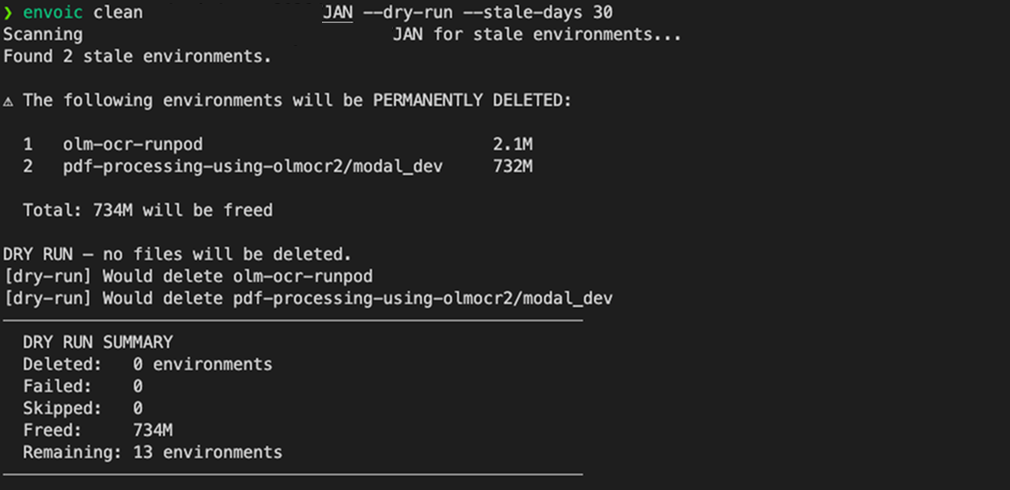
Managing Environments
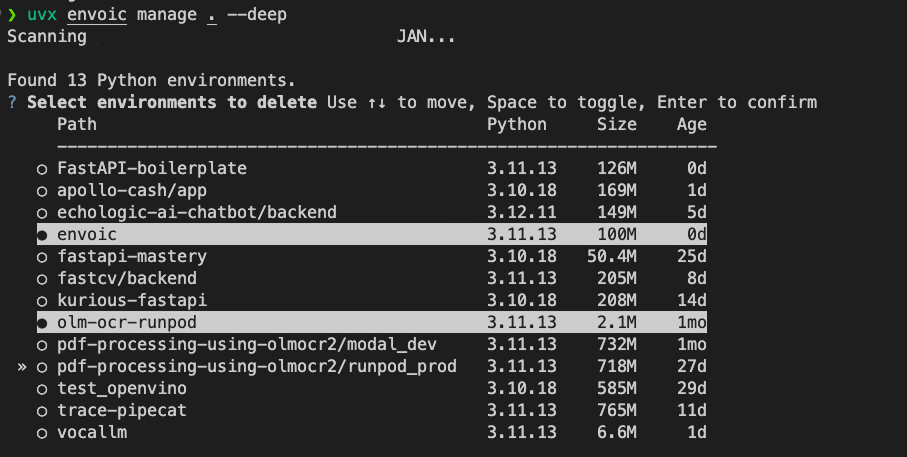
envoic manage provides an interactive checklist for deleting virtual environments.
Interactive delete flow
bash
envoic manage ~/projectsFlow:
- scan for environments
- select entries to delete (checkbox UI)
- review deletion summary
- type
deleteto confirm - delete selected directories with progress output
This command is intentionally conservative and requires explicit confirmation.
Example (manage)
Safety guarantees
- never deletes without explicit confirmation (unless
--yesis provided) - validates selected paths are inside the original scan root
- if selected path is a symlink, removes only the symlink (not target)
- handles permission failures per environment and continues
- supports
--dry-runpreview mode
Useful options
bash
envoic manage . --stale-only
envoic manage . --stale-days 180
envoic manage . --deep
envoic manage . --dry-run
envoic manage . --yes   # caution: skips final typed confirmation
Non-interactive stale cleanup
Use clean for batch deletion of stale environments:
bash
envoic clean ~/projects
envoic clean ~/projects --stale-days 180 --dry-run
envoic clean ~/projects --yes
Example (clean)