
Getting Started
Quick Start
No install needed — run directly:
bash
uvx envoic scan .Permanent Install
bash
# Using uv
uv tool install envoic

# Using pipx
pipx install envoic

# Using pip
pip install envoic
Your First Scan
bash
# Scan current directory
envoic scan .

# Scan your entire projects folder
envoic scan ~/projects

# Deep scan with size and package info
envoic scan ~/projects --deep

# JSON output for scripting
envoic scan . --json

# Path display mode: name | relative | absolute
envoic scan . --path-mode name
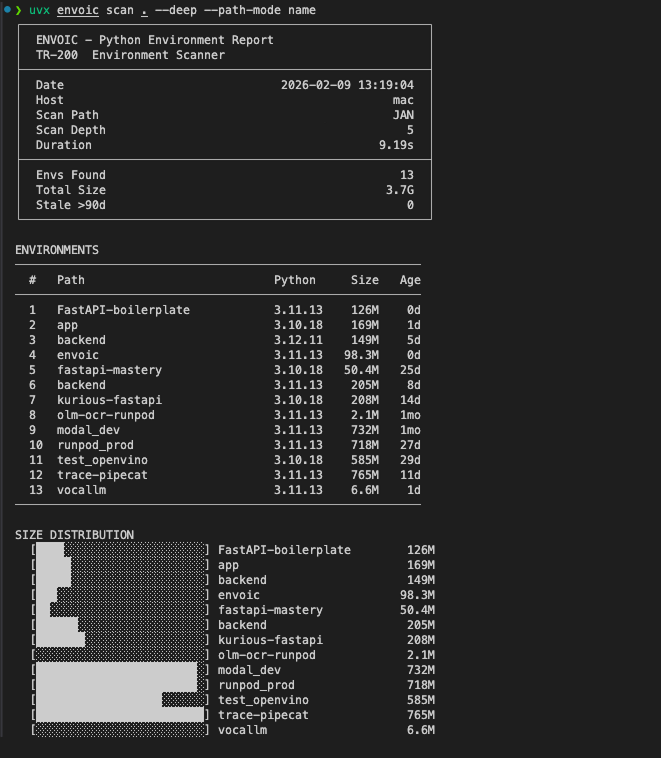
Example Output
Manage and Clean
bash
# Interactive selection + delete flow
envoic manage . --stale-only

# Batch stale cleanup (preview first)
envoic clean . --stale-days 180 --dry-run